
 Road managers
 Accessibility tools



How to interpret a PBS Vehicle Approval (VA) for an Access Assessment
This guide explains how to read and understand a Performance Based Standards (PBS) Vehicle Approval (VA) for Access Assessment applications that are then sent to the Heavy Vehicle Special Access Permit System (HVSAPS). Use this guide when entering or checking vehicle details for access assessments.
Refer to your VA document and follow the descriptions below to complete each field. For some of the fields you will be required to physically inspect the physical vehicle.
VA layout description
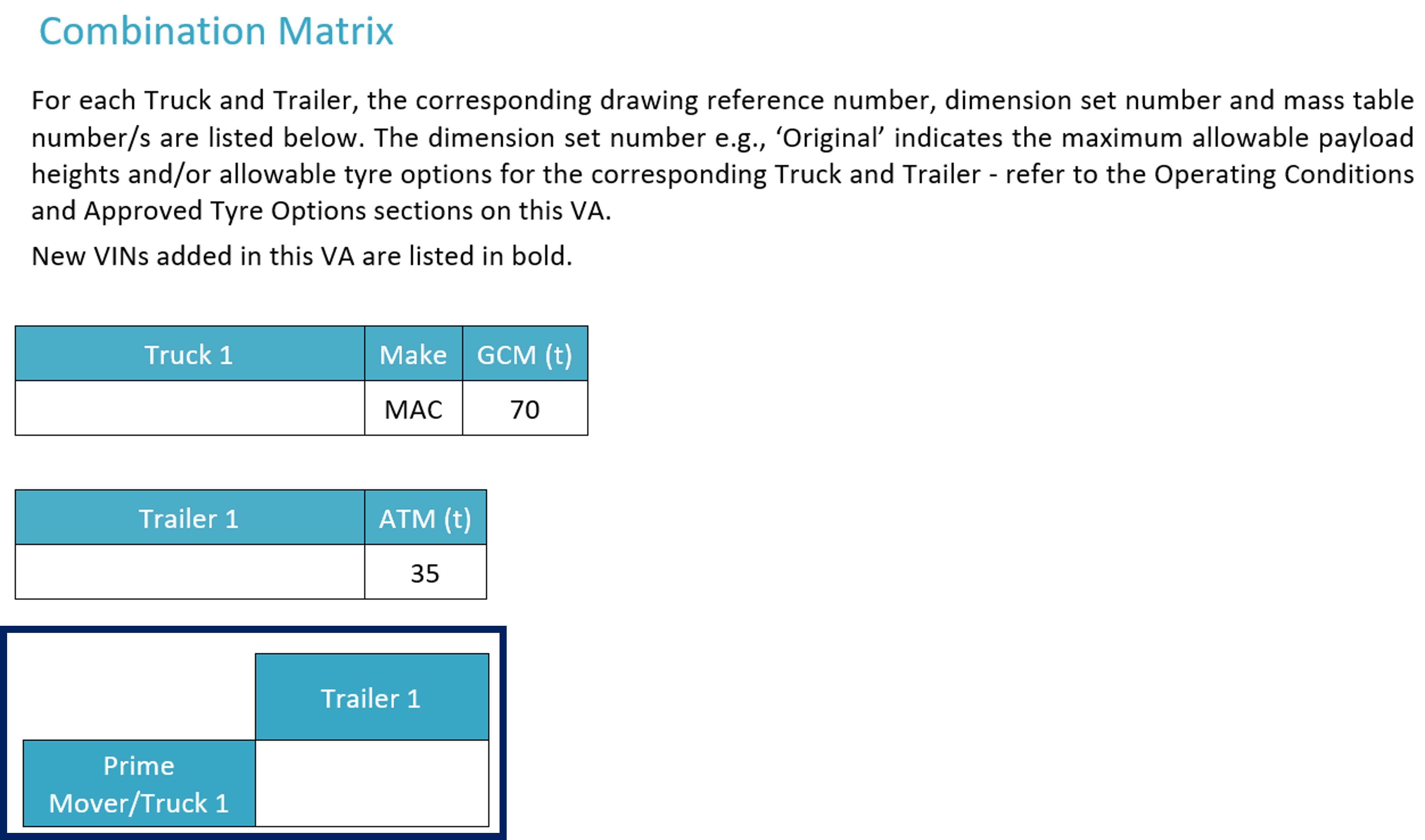
- What to enter: Enter the 'Prime Mover & Trailer Set Number' as listed for your combination in the access assessment. Example: 'Prime Mover 1 & Trailer Set 2'.
- Where to find it: On your VA in the 'Combination Matrix'.
More information is available at Combination Matrix.
Length
- What to enter: Record the overall length of the combination.
- Where to find it: Check the 'Combination Drawing' or 'Axle Spacing Table' in your VA, may be noted as 'OAL (Overall Length)'.
Width
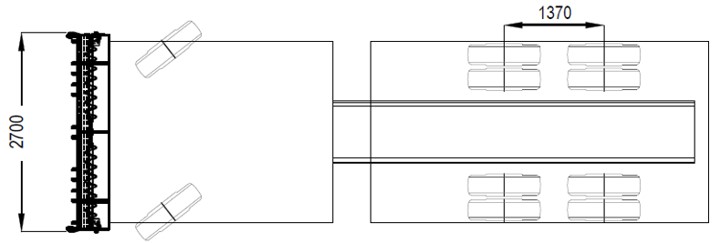
- What to enter: If the width is not listed on the VA, enter 2.5m as the vehicle meets the prescribed limits.
- Where to find it, if the vehicle is wider than 2.5m: Refer to the detailed drawing in the VA.
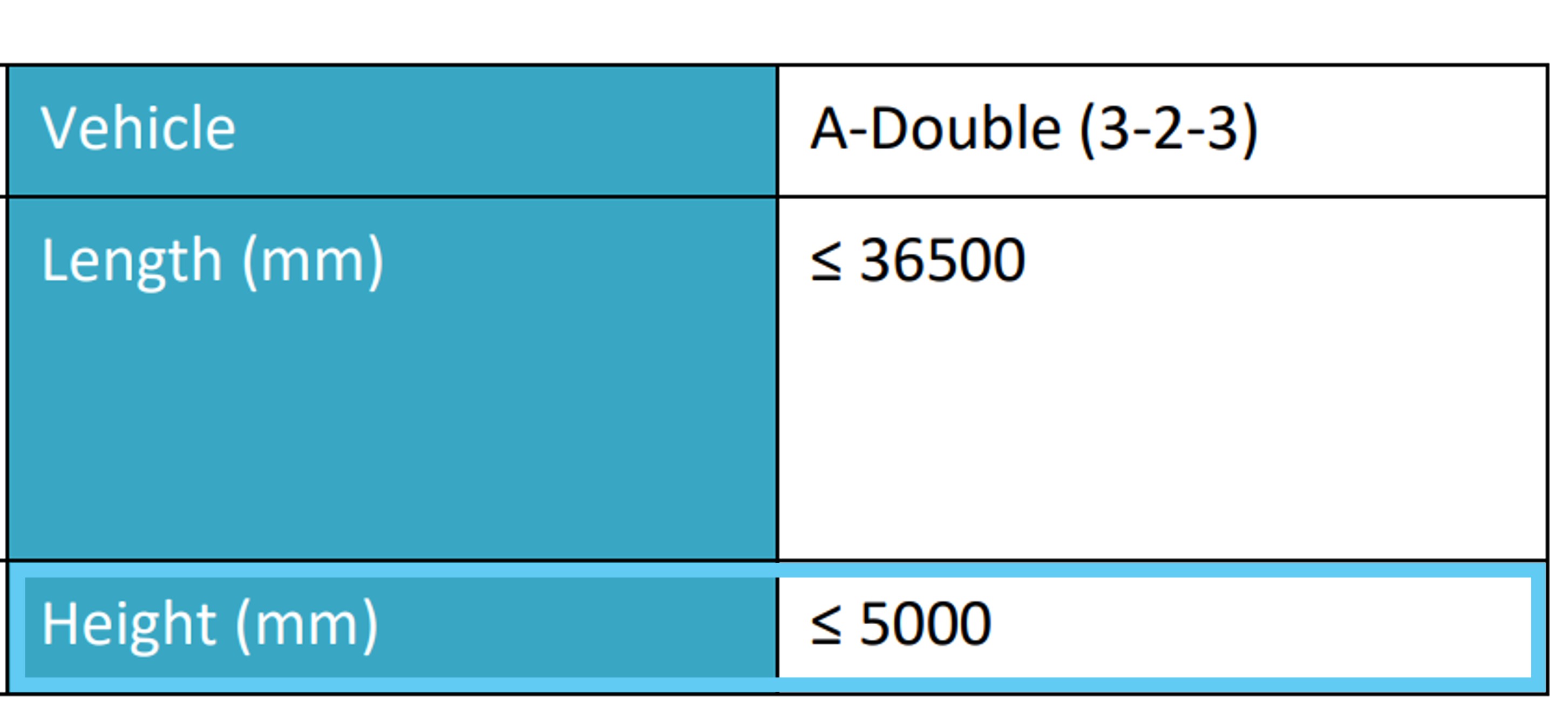
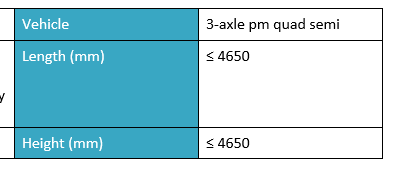
Height
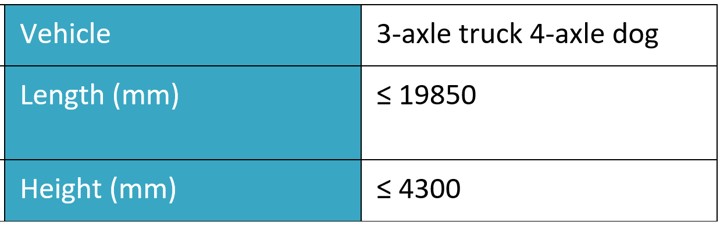
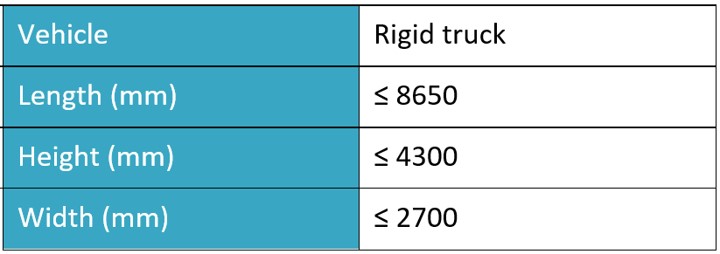
- What to enter: Enter the maximum height for the combination in the access assessment.
- Where to find it: If the height listed on the front page of the VA is <4300mm or <4600mm, enter 4.3m or 4.6m, respectively. If the height is greater than 4600mm on the front page, the measurement stated is the exact measurement; enter this number.

Tyre size
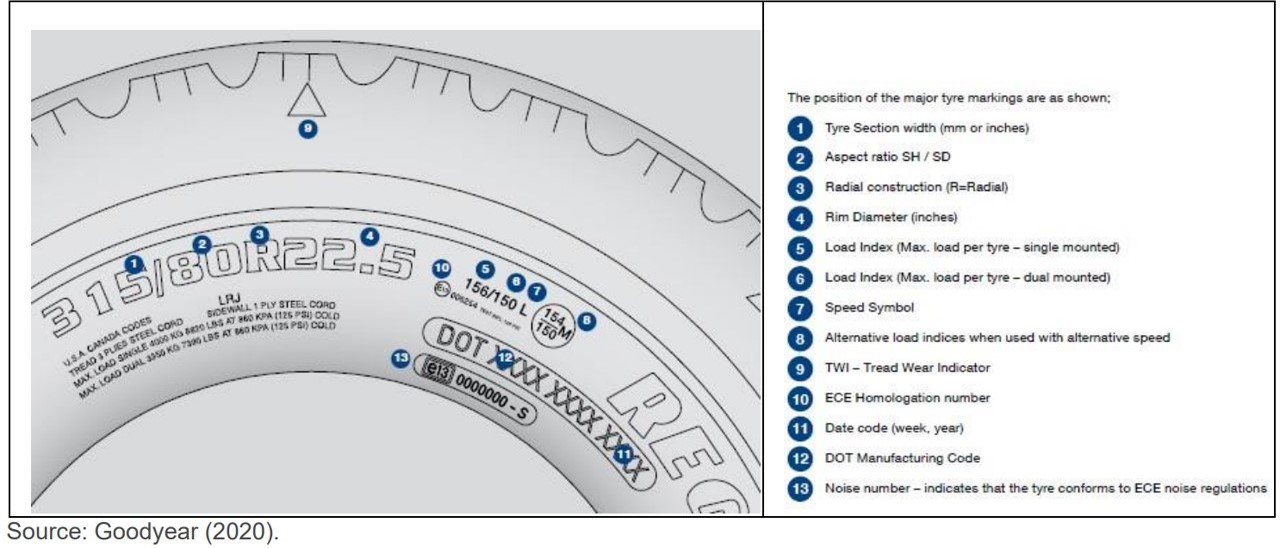
- What to enter: The width of an individual tyre on the specific axle currently fitted to the combination —this is not specifically stated on the VA, as the VA shows the approved tyre options.
- Where to find it: Read the sidewall of the tyre directly for the exact size (e.g for a 255/70R22.5 tyre, enter 255).
Axle group mass
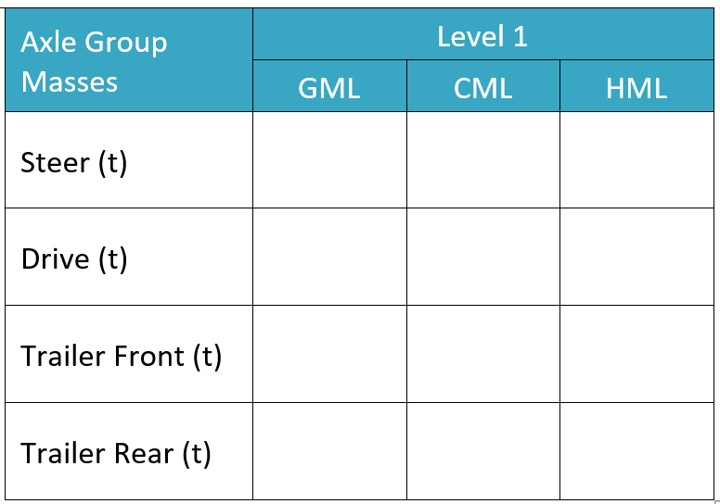
- What to enter: Look at the Combination Mass Table for the specific combination and record the maximum allowed mass per axle group for the total mass specified earlier.
- Where to find it: Within the tables showing approved masses for each combination.
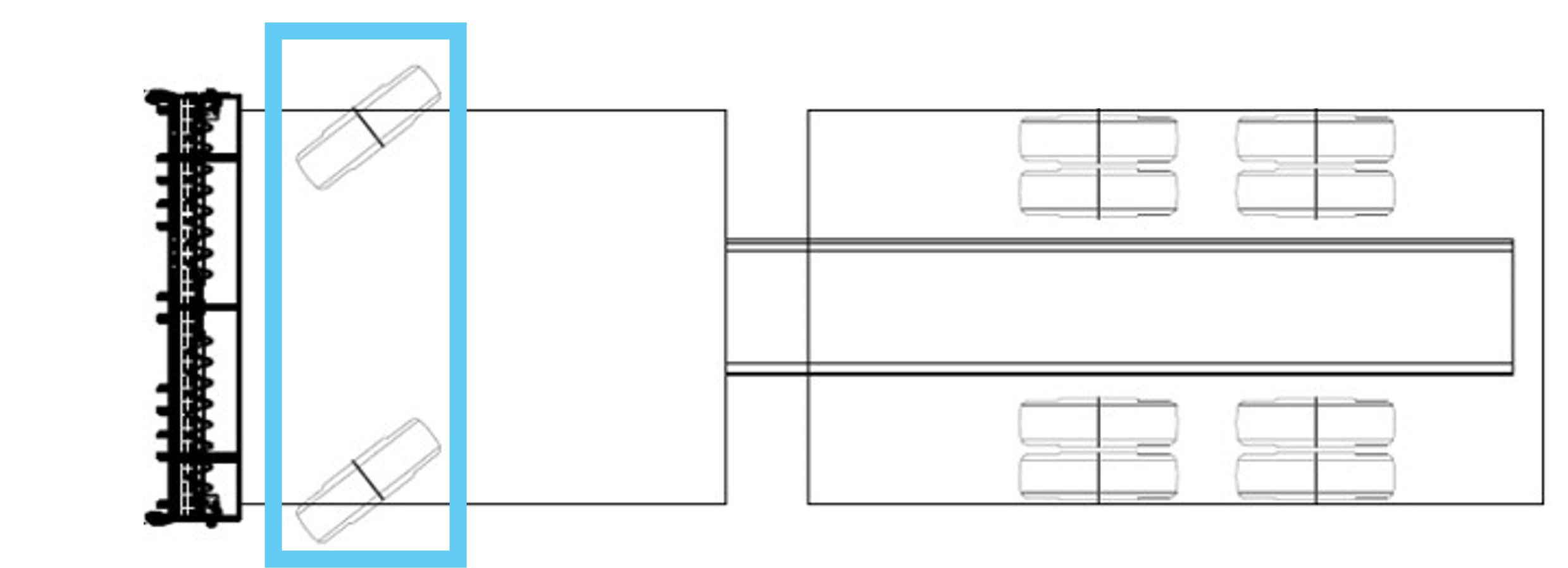
Steerable axle
- What to enter: Confirm if the combination includes steerable axles.
- Where to find it: Review the 'Combination Drawing' in your VA.
Number of tyres
- What to enter: Total tyres fitted on the axle.
- Where to find it: The vehicle operator should know what tyre configuration is on the vehicle. The value entered can also be confirmed in the ‘Approved Type Options’ section in your VA. In a single configuration, this would mean 2 tyres per axle; in a dual configuration, this would mean 4 tyres per axle.
Axle spacings
- What to enter: The distance from the previous axle in metres.
- Where to find it: For newer VAs -Locate the axle spacings directly on the VA document. These measurements are provided as part of the specifications and can be easily referenced.
For older VAs or Final Approvals - Axle spacings may not be specified on older VAs. In this case, you will need to physically measure the axle spacings for the relevant combination. Ensure measurements are taken accurately in millimetres and recorded in the appropriate fields.

Load sharing
- What to enter: Whether the suspension system shares load between axles.
- Where to find it: Tick the box. By law, PBS vehicles are required to have load sharing axle groups.
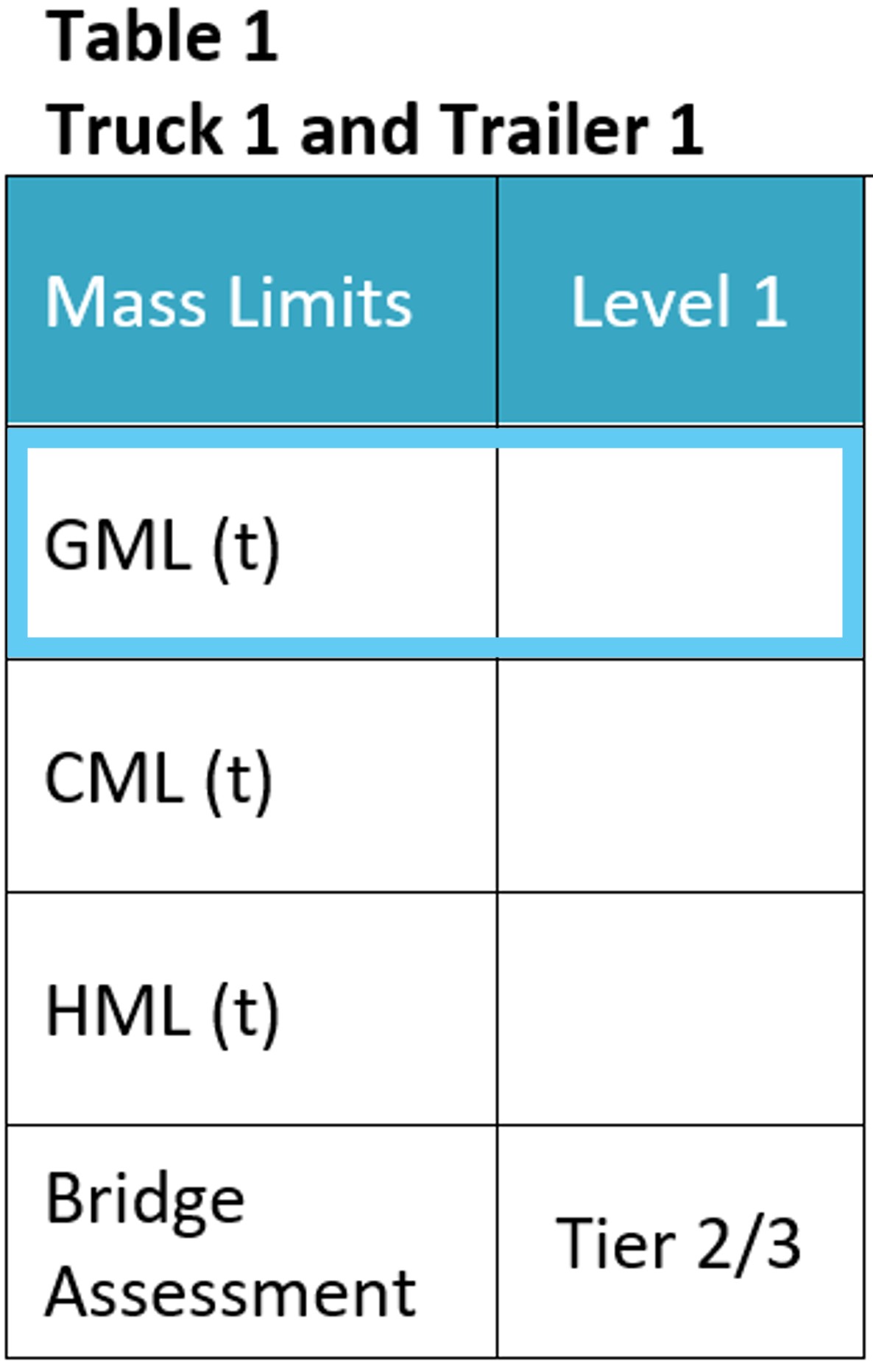
Vehicle total mass at General Mass Limits (GML)
- What to enter: GML for the combination entered into Access Assessment.
- Where to find it: In the same mass table for the combination entered.
Additional tips
- Always verify details with the latest version of the VA.
- For queries about any specific field, contact NHVR or your PBS engineer.
More Information
For detailed explanations, visit the NHVR PBS Vehicle Approval management page and PBS Vehicle Approval Explained.
If in doubt, always check with the NHVR or the relevant PBS engineer before finalising details on your application.